Çocuğunuzu korumak için ChatGPT 'ın ebeveyn kontrollerini ayarlama
Özgün başlık: How to set up ChatGPT's parental controls to protect your teen
Work out which features suit your child best to give them the best possible start with AI.
After almost a year of development, OpenAI released ChatGPT for Teens in August. The company is touting the experience as an educational tool with stricter content controls and features designed to promote healthier AI habits among young people. OpenAI says it automatically enrolls users it believes are under the age of 18 into ChatGPT for Teens. However, as with most tech platforms, child safety experts believe the mode's default restrictions don't go far enough to ensure young people have a safe and productive time using ChatGPT.
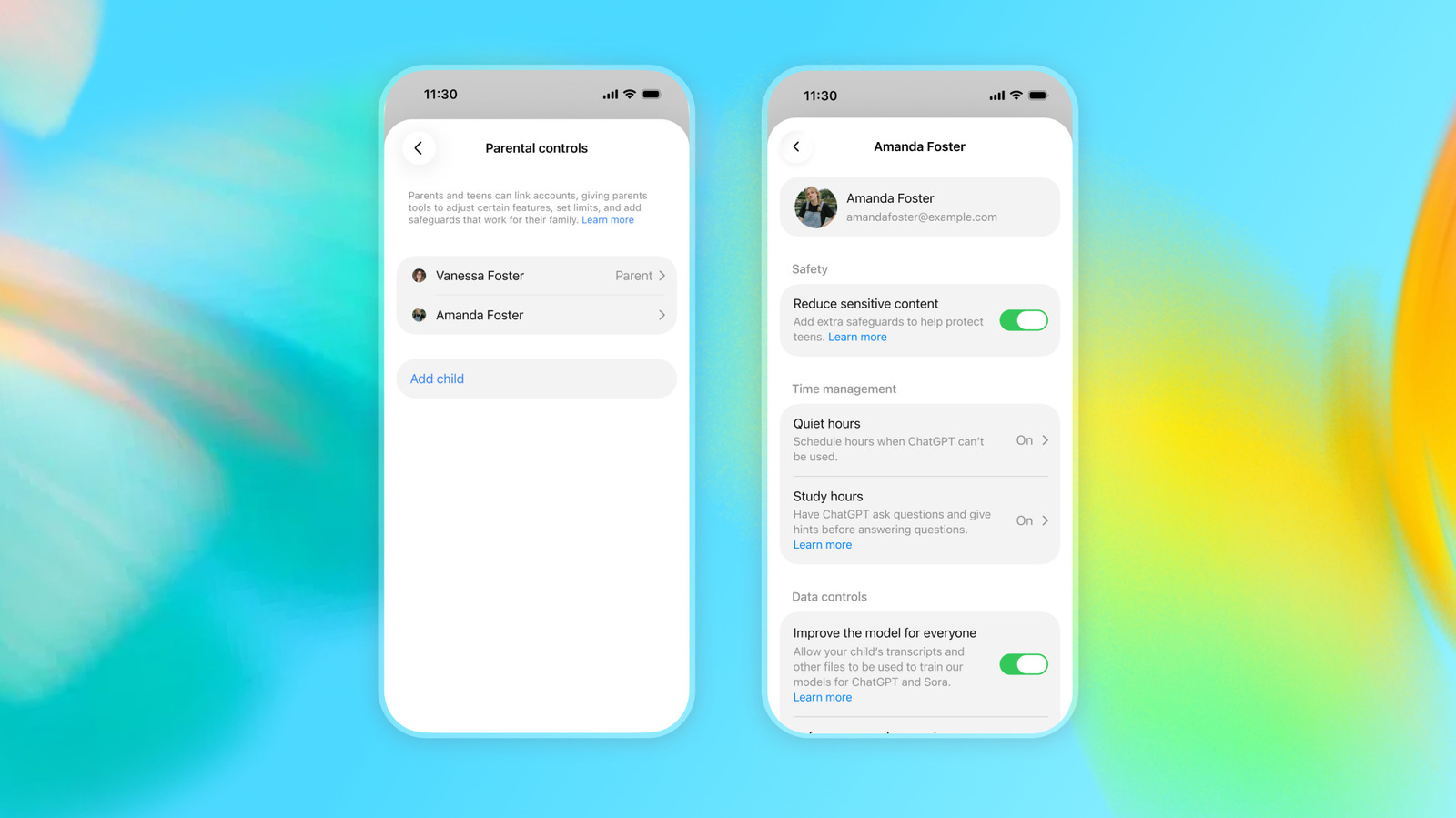
From a pedagogical standpoint, many of the mode's most important features require parents to link their ChatGPT accounts with their child's account and toggle them on or off. If you're unfamiliar with ChatGPT, finding those settings can be tricky. This guide will show you exactly where to find those settings, describe what they do, and offer a few best use recommendations.
Before you can apply parental controls to your child's ChatGPT experience, you need to link your accounts together:
Select Parental controls . On mobile, you can find that section under App settings .
After you select send, your teen will receive an email or text inviting them to link their account. Once they accept, you'll see their name appear under the Family members section of the Parental controls menu.
Select their name to review or change their individual settings.
Teens can also invite a parent to manage their account by following the same flow outlined above, but rather than indicating the account belongs to a child, they should select My parent or guardian instead.
Parental controls are only available while a child is under the age of 18. If OpenAI determines a ChatGPT for Teens user is now an adult, the company will move that person over to the regular ChatGPT experience. As a parent with a linked account, that transition will result in a few changes.
OpenAI will first send you and your child a message, notifying you both about the account status change. Any parental controls you had enabled will be disabled, and the connection between your accounts will be severed from that point on.